How to Build a Transactional Email Integration in 2026 — A Developer Tutorial
A learning-first walkthrough of how transactional email APIs work end-to-end — request lifecycle, retry semantics, bounce handling, reputation protection. Built for developers shipping their first integration.
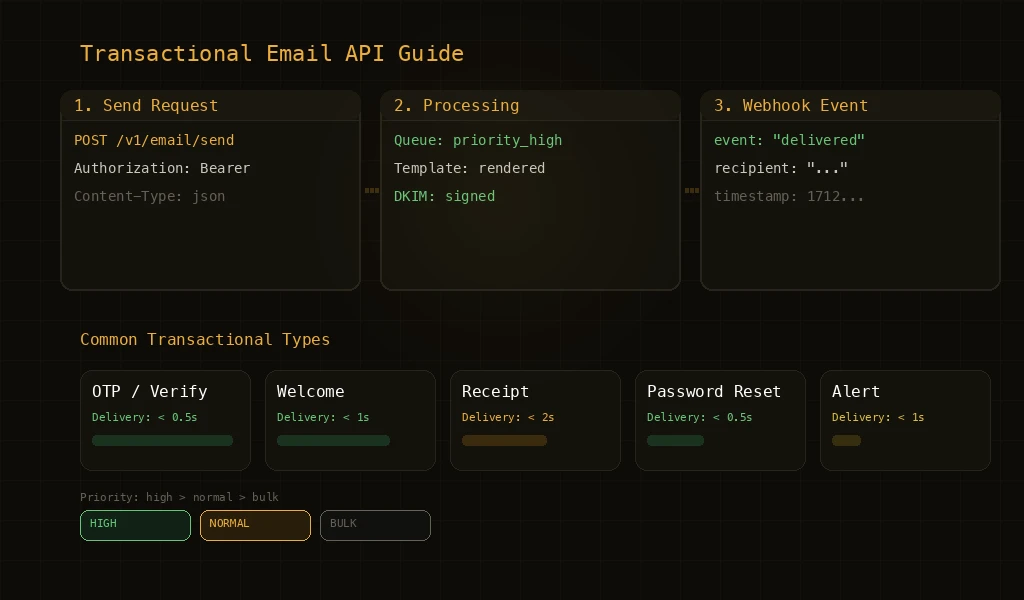
This is a tutorial for developers about to build their first transactional email integration. We will walk through what happens inside a transactional email API when your app calls it, the failure modes you have to handle, and the integration patterns that hold up in production. Looking to compare providers and pick one instead? That is a separate question — head over to the [transactional email API product page](/transactional-email-api) for the buying side of the conversation. The rest of this article assumes you are here to learn how the technology works. A transactional email API is a programmatic interface that lets your application send event-triggered emails — password resets, order confirmations, OTP codes, shipping notifications — through HTTP requests rather than managing SMTP infrastructure directly. By the end of this guide you will understand how a request flows from your app to a recipient inbox, why retries and bounce processing matter more than they seem, what integration patterns work in production, and where reputation protection fits into the picture.
How Transactional Email APIs Work
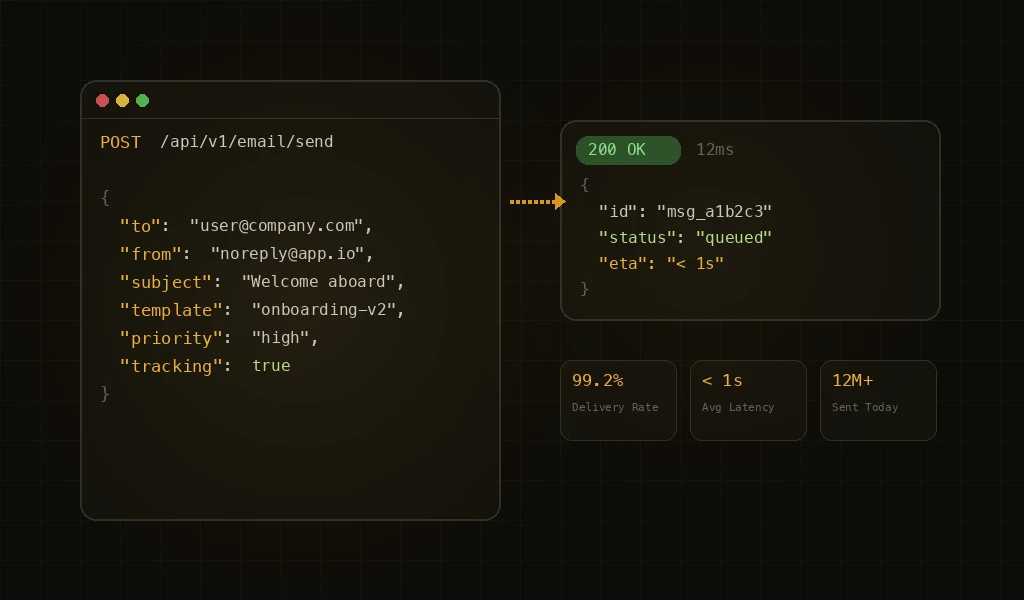
At the simplest level, a transactional email API accepts an HTTP request containing the email details — recipient, sender, subject, content — and handles everything needed to deliver that email: DNS lookups, SMTP connections, TLS negotiation, retry logic, bounce handling, and delivery tracking. Your application makes a single API call and the email infrastructure handles the rest. This abstraction is valuable because email delivery is deceptively complex. A basic SMTP send seems straightforward, but handling retries for temporary failures, processing bounce notifications, managing connection pooling to different ISPs, and maintaining deliverability across providers is significant infrastructure work.
When to Use a Transactional Email API
- User Authentication: OTP codes, password resets, email verification, and two-factor authentication. These emails are time-sensitive — a verification code is useless after 10 minutes — making speed and reliability critical.
- Order and Transaction Confirmations: Purchase receipts, shipping notifications, delivery confirmations, invoice emails. These are user-expected emails triggered by specific actions.
- System Notifications: Usage alerts, security warnings, account status changes, billing reminders. These keep users informed about important account events.
- User Communication: Welcome emails, onboarding sequences, feature adoption nudges. These are triggered by user lifecycle events and help drive product engagement.
Key API Evaluation Criteria
When choosing a transactional email API, developers typically evaluate speed (how fast emails are delivered), reliability (uptime and delivery success rate), documentation quality (how easy it is to integrate), and pricing (cost per email at your volume). These are all important, but there's a criterion that most developers miss until they hit production scale: reputation management. An API that delivers emails fast but doesn't protect your sending domain's reputation is building up invisible technical debt. When that debt comes due — in the form of ISP blocks or spam folder placement — the cost is far higher than any per-email charge.
Integration Patterns
- Direct API Call (Synchronous): The simplest pattern: your application code makes an HTTP POST to the email API and waits for the response. Suitable for single emails triggered by user actions (password reset). Simple to implement but blocks your application thread during the API call.
- Queue-Based (Asynchronous): Your application pushes email requests to a message queue, and a background worker processes them via the API. Better for batch operations and high-volume scenarios. Decouples email sending from your application's response time.
- Webhook-Driven Events: The email API sends webhook notifications back to your application when events occur — delivery, open, click, bounce. This pattern enables tracking, analytics, and automated responses to delivery problems.
- Template-Based Sending: Instead of constructing email HTML in your application code, you define templates on the email platform and pass template variables via API. This separates email design from application logic and enables non-developers to update email content.
The Reputation Protection Gap
Most transactional email APIs are fire-and-forget: you send an email, they deliver it, and your domain absorbs whatever reputation impact results. If you accidentally send to a stale list with 15% bounces, the API will dutifully deliver (or bounce) every email, and your domain reputation pays the price. APIs with built-in reputation protection work differently. They monitor your sending patterns, track ISP feedback, and automatically adjust behavior when problems are detected. A spike in bounces might trigger automatic speed reduction. A complaint surge might pause the problematic sending. This protection layer is invisible during normal operation but critical during incidents.
Measuring What Matters
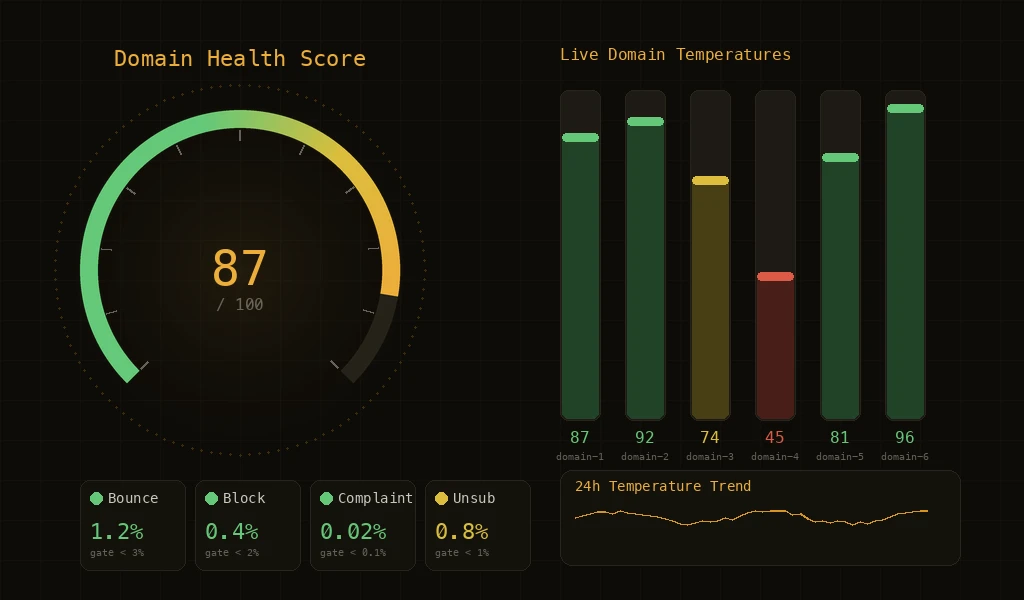
Once integrated, track these metrics: delivery rate (percentage of emails accepted by ISPs), inbox placement rate (percentage reaching the inbox, not spam), bounce rate (hard and soft), complaint rate, and time-to-delivery (especially for time-sensitive emails like OTPs). Most APIs provide delivery rate. Fewer provide inbox placement data. The best platforms provide domain health scoring that synthesizes all these metrics into a single reputation indicator, giving you an always-current view of how ISPs perceive your sending.
Key Features
Developer-First Design
Clean REST APIs, full-featured SDKs, webhook events, and template-based sending for fast application integration.
Built-in Protection
Automated reputation monitoring and adaptive sending that protects your domain without requiring manual intervention.
Further Reading
For more tutorials and deep dives, head back to the blog.